Let's code something. 😃
On Day 4, we learned about bash scripting. Let's use this knowledge to have some fun on our own (solutions are at the end).
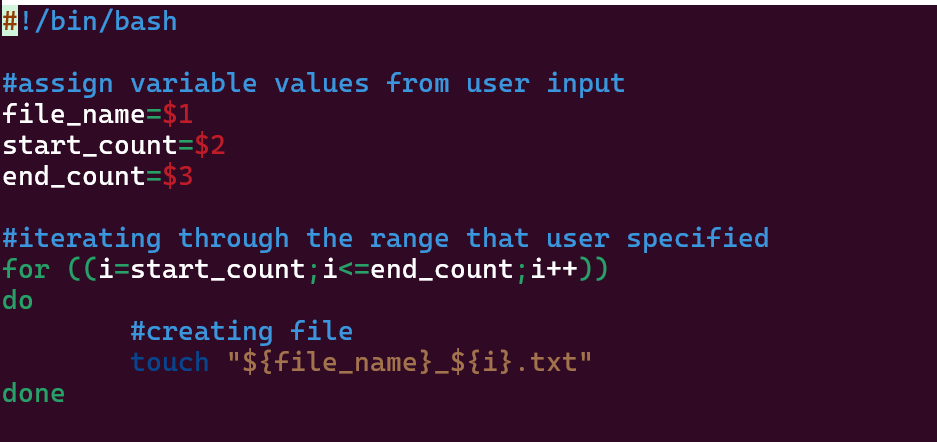
Create an output file with the names DevOpsDays_1 to DevOpsDays_10 using a bash script (take the filename and the number of days as arguments).
Output:

Create a bash script to back-up your files or folders. (The script should take two arguments: one for the source file or folder and another for the destination or backup folder).
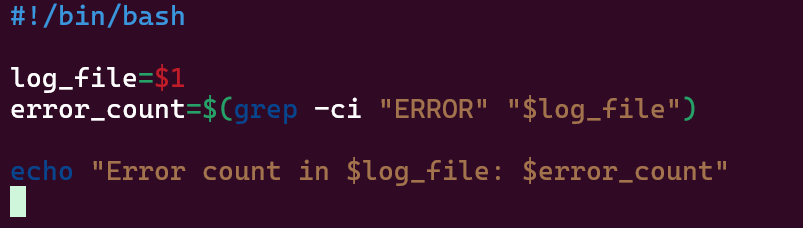
Create a Bash script that counts the number of errors in a report file (pass the log file as an argument to the script).
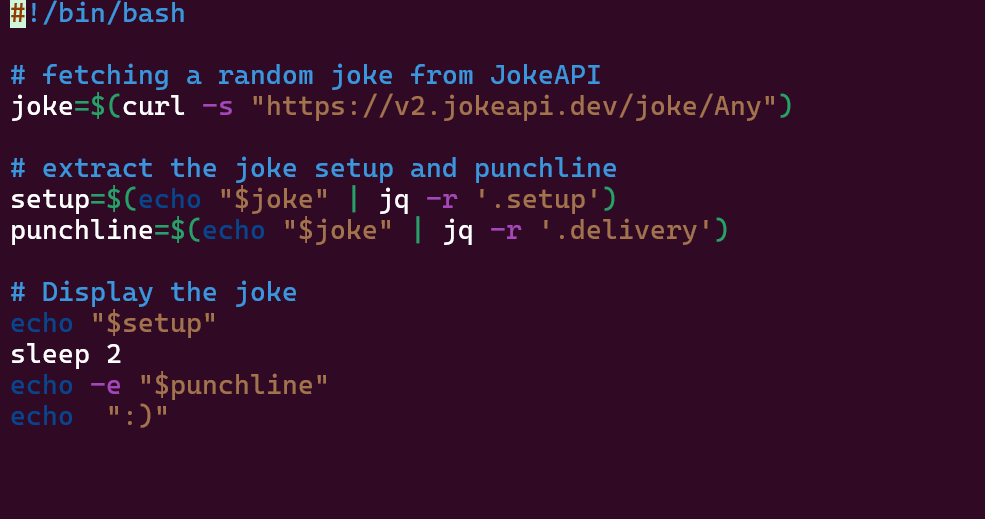
Create a Random Joke Generator using the JokeAPI.*(You may need to install jq to run this script).*
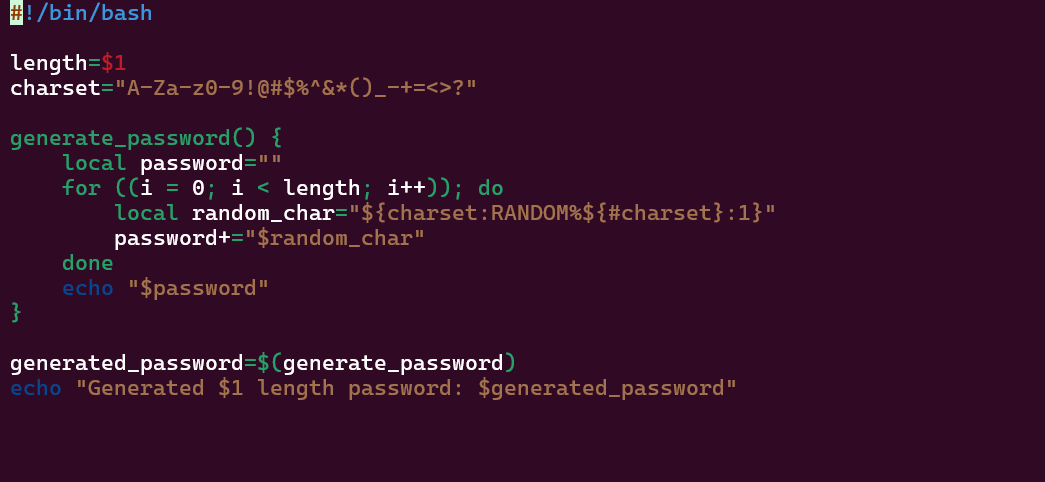
Create a random password generator (pass the password length as an argument).
Output:

Solutions.🙂
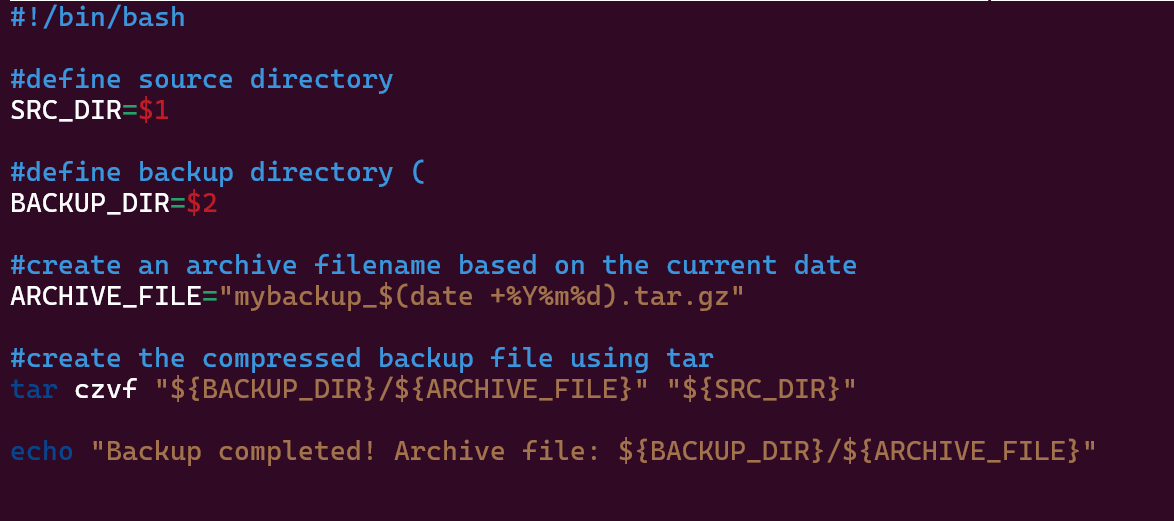
There are other cool methods to create backups. I highly recommend looking into those as well. Some of them are:
Using rsync:
Rsync is a powerful utility for efficiently copying and synchronizing files between directories or systems.
It only transfers the differences between files, making it ideal for backups.
Scheduled Backups with Cron:
- Set up a cron job to run your backup script at regular intervals (e.g., daily or weekly).
Automated Backup Tools:
Consider using tools like Bacula, Amanda, or Duplicity for more advanced backup management.
These tools provide features like encryption, incremental backups, and centralized management.
Other resources. ❤️
Here is another good resource for learning the Linux Command Line.
Thank you for reading😉.


